
Controlling a Mac from Android or iPhone: What Differs
Written by the people who make Peering. Checked against the app's own code, November 2026.
The same on both
- Pairing with a six-digit code or a QR code, and no account.
- End-to-end encryption, a direct path when possible and a relay that cannot read the session.
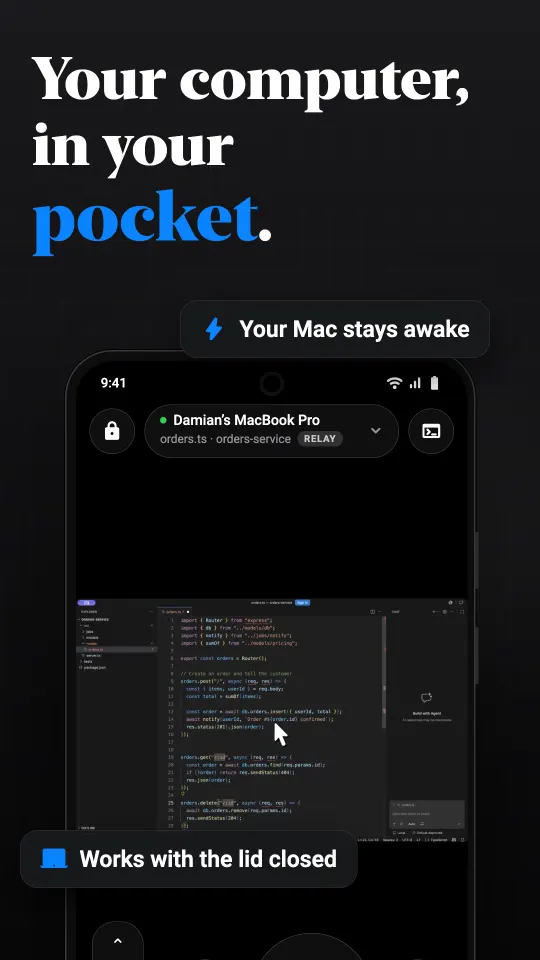
- The picture, trackpad mode, direct touch and joystick, pinch zoom, quality settings.
- Keyboard bar with Mac keys, function keys, per-app shortcuts, macros and dictation.
- The Mac's sound, the clipboard with images, files, terminals and SSH servers.
- Displays, apps, windows and desktops as sources; darken and lock the Mac.
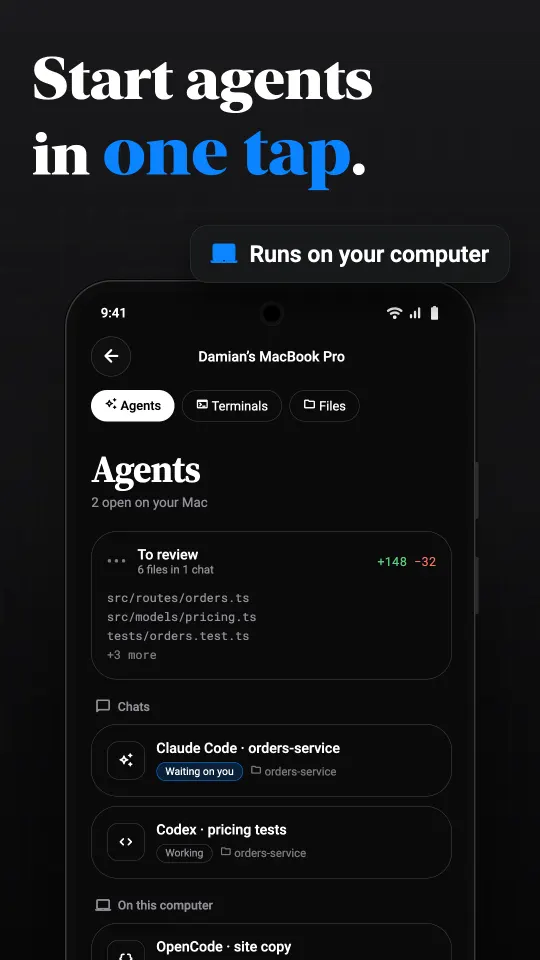
- Claude Code, Codex and OpenCode chats, change review and a To review inbox.
- Plans: free on your own network with 30 minutes a day of relay, Pro monthly or Lifetime.
Where they differ
| Android | iPhone and iPad | |
|---|---|---|
| Availability | Coming soon to Google Play | On the App Store now |
| Minimum version | Android 10 | iOS 18 |
| Agent and terminal alerts | While a session is kept open in the background, with Allow and Deny in the notification | Also with the app closed, through push, and on the Lock Screen |
| Session in the background | Carries on, with an ongoing notification and a Disconnect button | Picture in Picture keeps the screen floating |
| Several Macs at once | One session at a time | Several, switched by tabs |
| Widgets and Live Activity | Not yet | Yes |
| Screenshots of the session | Blocked by default, with a share button for the picture | Allowed |
| Windows host (beta) | Hides controls the PC does not support | Shows some Mac-only controls |
Which to use
Use the phone you already carry. The Mac does not care which one connects, and you can pair both: a family can have an Android phone and an iPad on the same Mac. The plan is bought in each store separately, so a Lifetime purchase on Google Play does not carry over to an iPhone, or the other way round.
If coding agents are why you want this, and alerts with the app fully closed matter to you, the iPhone app is ahead today. On Android, keep the session in the background and the approvals arrive in the shade; see Claude Code on Android.
Getting started
The Mac side is the same either way: download Peering for Mac, allow Screen Recording and Accessibility, and pair on your home network. The step-by-step for Android is in controlling a Mac from Android; for iPhone it is in the pairing guide.
Questions
Can I control a Mac from an Android phone instead of an iPhone?
Yes. Peering's Android app pairs with the Mac the same way as the iPhone app, with no account.
Is the Android app missing features?
A few. Alerts arrive only while a session is kept in the background, one Mac is connected at a time, and there are no widgets yet. The rest matches.
Does my Pro plan carry over between Android and iPhone?
No. Purchases are made through Google Play or the App Store and belong to that store.
Can an Android phone and an iPhone both pair with the same Mac?
Yes. A Mac accepts as many paired devices as you like.