
Remote Desktop for Android Tablets
Written by the people who make Peering. Checked against the app's own code, November 2026.
Why a tablet works better than a phone
A 14-inch Mac display shrunk onto a 6-inch phone means zooming for every menu. On an 11-inch tablet the same screen is readable in Fit, and on a 12 or 13-inch one you can work at close to one to one. You can still zoom: pinch, or zoom out past fit to 75 percent to see the edges of a large display.
Peering on Android adapts to a large window rather than scaling a phone layout. The agents hub sits beside the open chat, session panels widen, and the files list and a file's preview share the screen. The same app runs on a phone, a tablet, a foldable or in Android's split screen.
Keyboard, mouse and trackpad
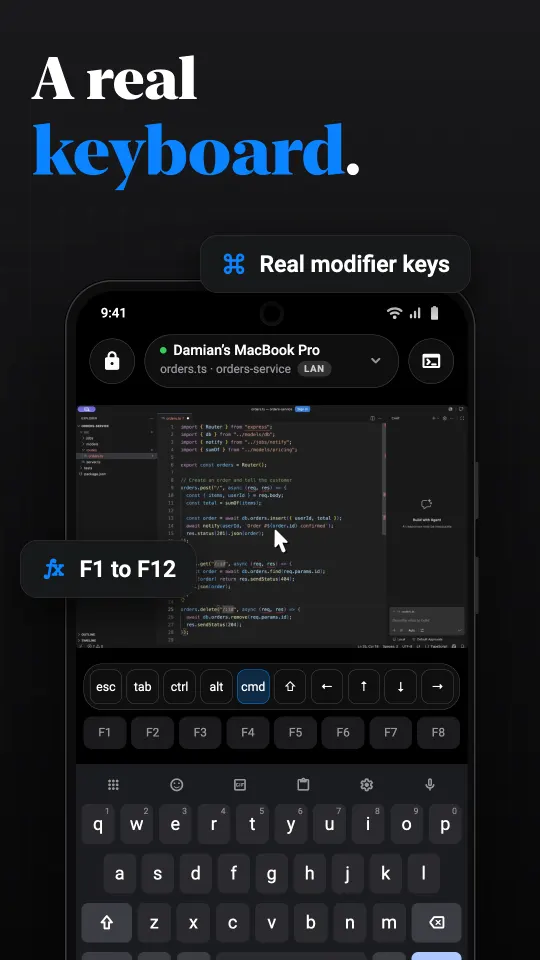
Most tablet owners eventually add a keyboard. Peering's keyboard bar works with the on-screen keyboard and adds Command, Option, Control, Escape, Tab, arrows and F1 to F12. Keys can be latched, so Command then Tab is two taps rather than a chord. Per-app shortcut sets and your own macros sit one tap away.
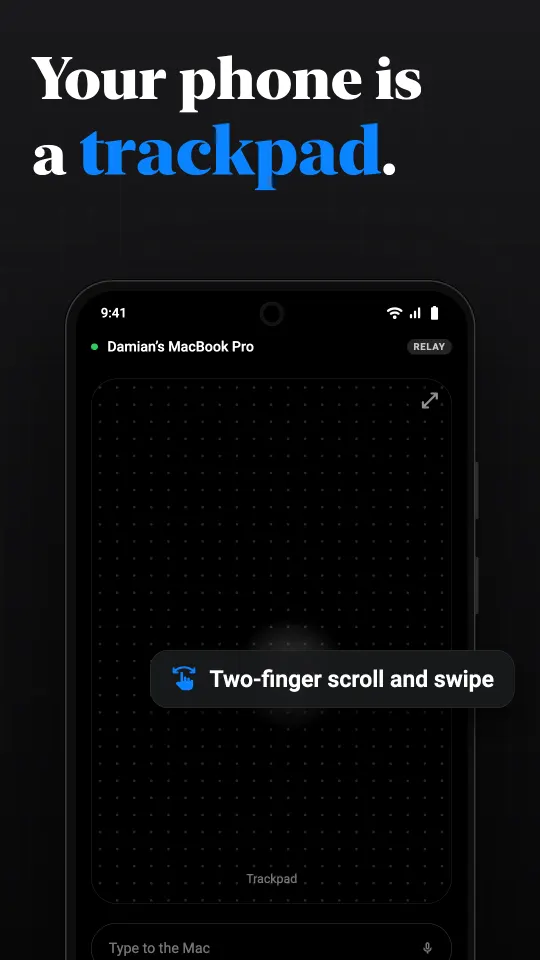
For the pointer, trackpad mode turns the whole screen into a touchpad: one finger moves, a tap clicks, two fingers scroll and swipe between desktops. Direct touch, where you tap exactly what you see, often suits a big screen better. Switch between them in the session.
Things that are better on a tablet
- Reviewing an agent's work. Claude Code, Codex and OpenCode chats run on the Mac and show on the tablet, with the list of chats beside the open one and a review of the files the agent changed. See Claude Code on Android.
- Reading files. Browse the Mac's folders, preview text, images and PDFs, edit a text file and save it back, or download it to the tablet.
- A terminal you can see. A full shell on the Mac with tabs and a key row for the control keys.
- One app at a time. Show a single window or application instead of the whole display, so it fills the tablet.
- Sound. Video or a call on the Mac plays through the tablet's speakers.
Setting it up
Install Peering on the Mac (macOS 15 or later) and allow Screen Recording and Accessibility. Install Peering on the tablet from Google Play when it is listed (Android 10 or later). On the same Wi-Fi, choose the Mac under Nearby and confirm the six digits. From then on the tablet finds the Mac on its own, at home or away. The steps are written out in controlling a Mac from Android.
Away from home
A tablet on hotel Wi-Fi reaches the Mac the same way a phone does: a direct path if the networks allow it, otherwise an encrypted relay that cannot see the session. If the tablet has no mobile data, a phone hotspot works. Free on your own network with no time limit, plus 30 minutes a day of relay time for reaching the computer from another network. Pro ($2.99 a month) or Lifetime ($24.99 once) removes the daily limit. Those are the US prices; Google Play shows yours in local currency.
What to know first
Peering controls computers you own and have paired: a Mac, and, as an early beta, a Windows PC. It does not reach Linux or help someone else's computer. One session runs at a time. And the Mac has to be awake; see keeping a Mac reachable.
Questions
Can I use an Android tablet as a remote desktop for my Mac?
Yes. Peering pairs an Android tablet on Android 10 or later with a Mac on macOS 15 or later. The tablet shows the Mac's screen and controls it with touch, a trackpad mode and a keyboard bar.
Does it work with a Samsung Galaxy Tab?
Any Android tablet on Android 10 or later should work, Galaxy Tab included. Peering uses the tablet's hardware video decoder, which every recent tablet has.
Does the layout adapt to a large screen?
Yes. On a large window the agents hub sits beside the open chat, the session panels widen and lists show next to their detail.
Can I use a hardware keyboard?
You can type with the keyboard bar, which adds Command, Option, Control, Escape and the function keys that a tablet keyboard may lack.
Is it free?
Free on your own network with no time limit. Away from home, free includes 30 minutes of relay time a day; Pro or Lifetime removes the limit.